- Get Started
- Video Tutorials
- Knowledge Base
- FAQs & Troubleshooting
How to Prevent Duplicate Orders in 4Seller Caused by Dual Authorization of Shopify and Third-Party Platforms?
Updated on 30 Oct,2026Copy Link
If a marketplace store is authorized on both Shopify and 4Seller, and that same Shopify store is also authorized on 4Seller, it will result in duplicate order synchronization.

How to resolve this issue:

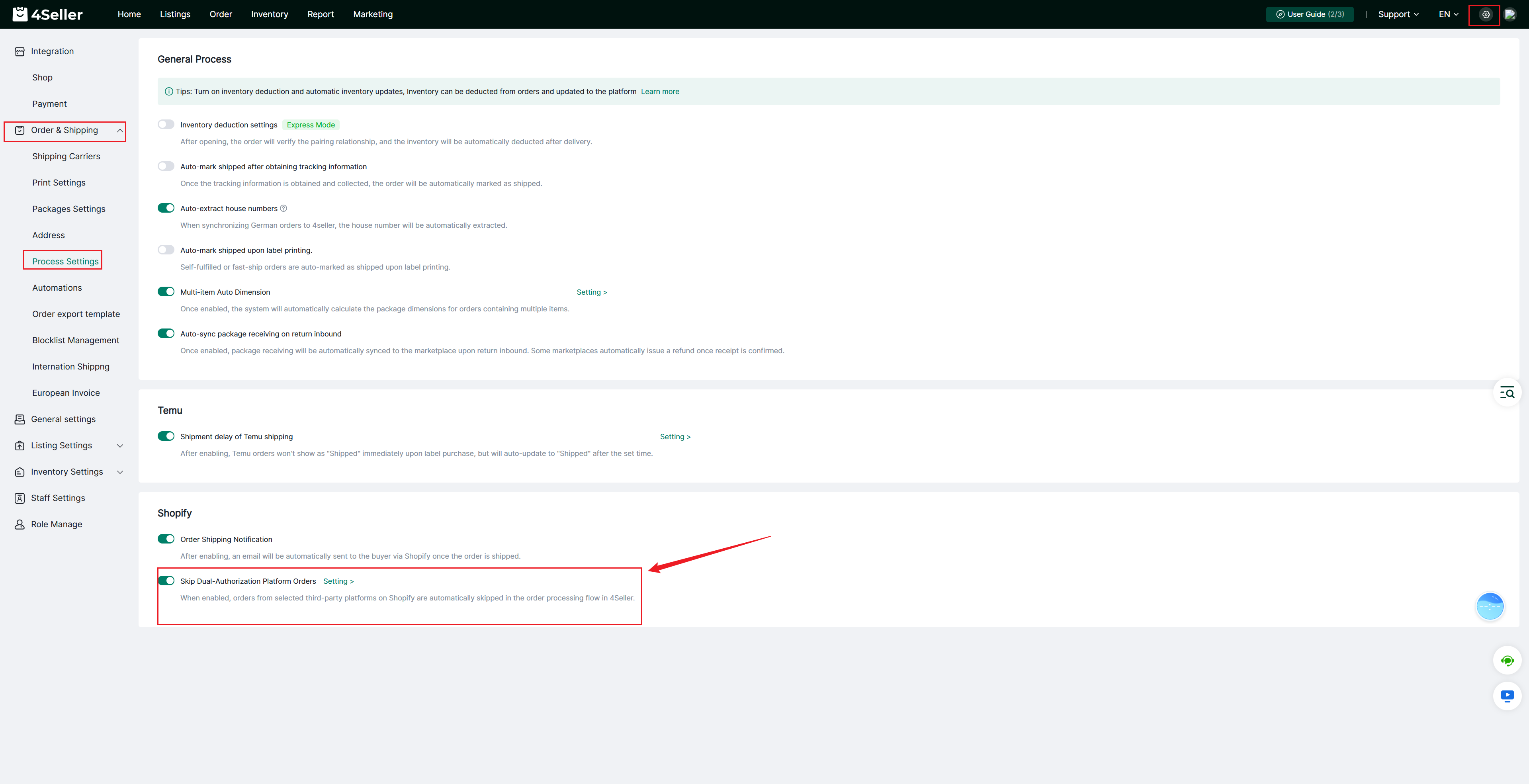
Step 1: Go to Settings > Orders & Shipping > Process Settings > Shopify, and enable the Skip Dual-Authorization Platform Orders


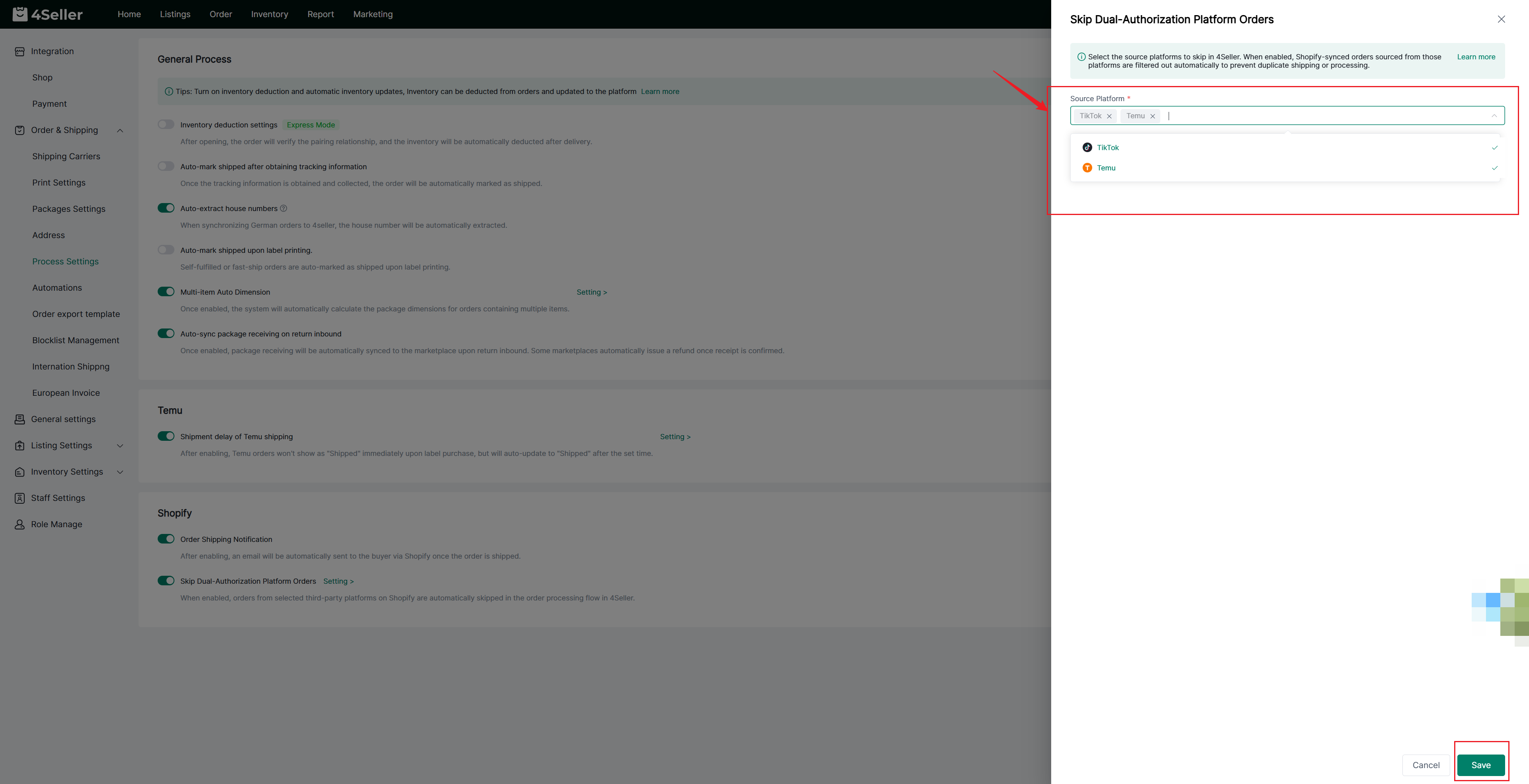
Step 2: Select the platforms for which you wish to skip order processing; you may select multiple platforms. Once you have made your selections, click Confirm.


Note:

1. Currently, the option to skip order processing steps is supported only for orders from TikTok Shop, Temu, eBay, Amazon, Walmart and Etsy.

2. Once a specific platform is selected, all orders from Shopify that belong to that platform will bypass the order processing steps.

Any problems feel free to contact 4Seller Support Team: support@4seller.com


Back to top